-
Stop Dreaming. Start Executing.
Join the Ferct Founding 50 to unlock your full potential and achieve your dreams.
Exclusive Lifetime Access to Ferct – The World's First Goal Achievement Network.
SECURE YOUR SPOT NOW
-
Become a Certified Scientific Researcher
Join the world’s #1 comprehensive online skills program designed to empower college students, postgraduates, and researchers to launch or advance their careers in research and development.
Learn more
This offer for one time after that will be this closed forever. No extensions. No second chancess.
Description:
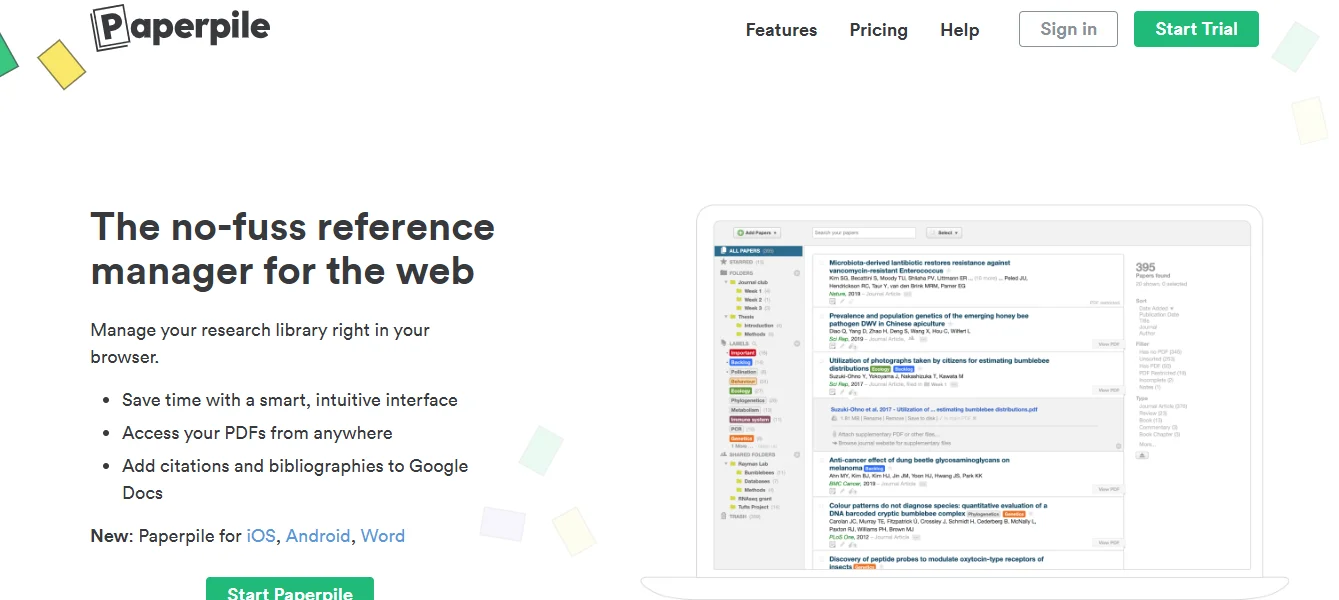
Paperpile is a cloud-based reference management tool designed to simplify the process of organizing, citing, and sharing academic references. It integrates seamlessly with Google tools, including Google Docs and Google Drive, making it particularly appealing to researchers and students who work within the Google ecosystem. With its focus on speed and simplicity, Paperpile is an excellent choice for those seeking an intuitive yet powerful tool for managing references and PDFs.
Main Features and Functions:
- Reference Organization:
- Centralize your references in a clean and searchable library.
- Use tags and folders to categorize references effectively.
- Integration with Google Workspace:
- Easily insert citations and bibliographies in Google Docs.
- Store and organize references directly in Google Drive.
- Automatic Citation Formatting:
- Supports thousands of citation styles, including APA, MLA, and Chicago.
- Automatically formats in-text citations and reference lists.
- PDF Management:
- Attach, highlight, and annotate PDFs.
- Automatically retrieve and organize full-text PDFs of your references.
- Browser Integration:
- Use the Paperpile browser extension to import references directly from websites, databases, and Google Scholar.
- Save articles and metadata with a single click.
- Cross-Platform Access:
- Access your library from any device with a browser.
- Use mobile apps for on-the-go reference management.
- Collaboration Features:
- Share references and collections with collaborators.
- Enable real-time updates in shared libraries.
- Cloud Synchronization:
- Sync your references and PDFs across all devices automatically.
- Ensure your library is backed up securely in the cloud.
Guide:
How to Use Paperpile
- Setting Up:
- Sign up for Paperpile on their official website using your Google account.
- Install the Paperpile browser extension for seamless web integration.
- Adding References:
- Import references directly from databases like PubMed, Google Scholar, or journal websites using the browser extension.
- Upload existing reference libraries in formats like RIS or BibTeX.
- Manually add references by entering details such as author, title, and publication year.
- Managing Your Library:
- Organize references using folders, labels, and tags.
- Attach PDFs to references and annotate them as needed.
- Citing While Writing:
- Open a Google Docs document and enable the Paperpile plugin.
- Use the “Add Citation” button to insert references into your text.
- Select a citation style or change it at any time.
- Collaborating with Others:
- Share collections or specific references with collaborators via links.
- Collaborate on documents in Google Docs with shared access to citations.
- Exporting and Backup:
- Export your library or specific references in RIS, BibTeX, or other formats for use in other applications.
- Keep your library backed up automatically with cloud syncing.
Paperpile combines the ease of Google integration with powerful reference management capabilities, making it a versatile tool for academics and researchers alike.
Main Information
Related tools