Google Scholar
Search across a wide variety of disciplines and sources


-
Stop Dreaming. Start Executing.
Join the Ferct Founding 50 to unlock your full potential and achieve your dreams.
Exclusive Lifetime Access to Ferct – The World's First Goal Achievement Network.
SECURE YOUR SPOT NOW
-
Become a Certified Scientific Researcher
Join the world’s #1 comprehensive online skills program designed to empower college students, postgraduates, and researchers to launch or advance their careers in research and development.
Learn more
This offer for one time after that will be this closed forever. No extensions. No second chancess.
Description:
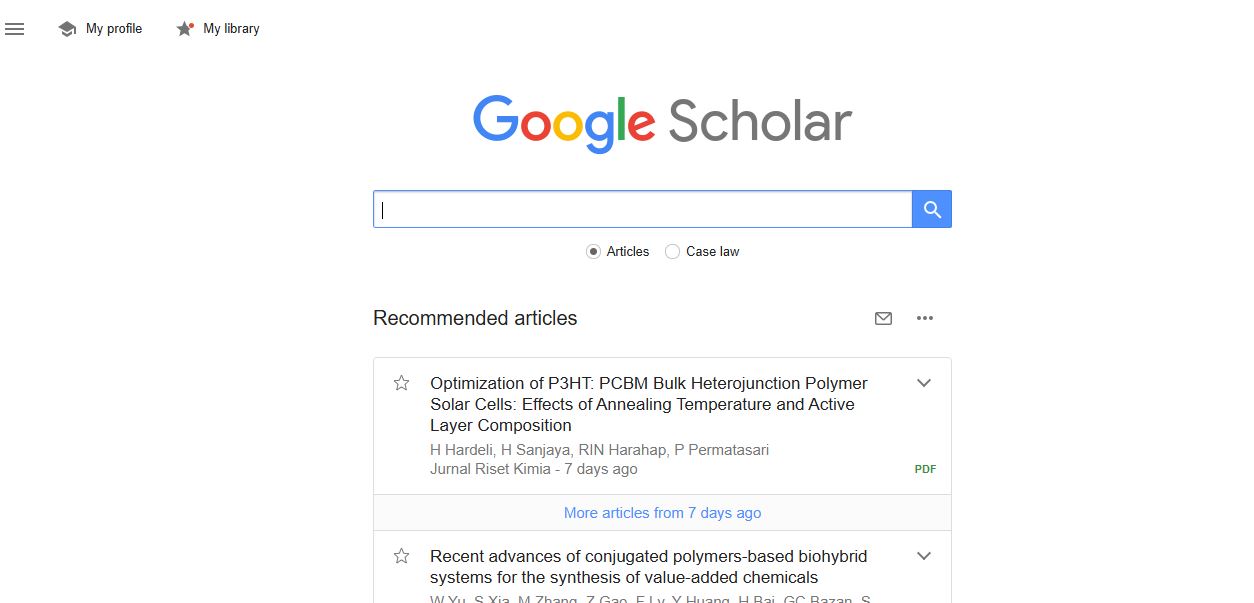
Google Scholar is a free, web-based search engine designed to help users locate scholarly literature across a wide range of disciplines. It indexes academic articles, theses, books, conference papers, court opinions, patents, and other scholarly materials from publishers, universities, and academic repositories. By providing a centralized platform, it allows students, researchers, and professionals to access a wealth of academic resources efficiently.
Main Features and Functions:
- Comprehensive Academic Database:
Google Scholar indexes a broad spectrum of academic materials, including peer-reviewed papers, preprints, and gray literature. - Advanced Search Options:
Users can filter results by year, author, publication, or specific terms, enhancing the precision of searches. - Citations and Metrics:
- View citation counts for individual articles to assess their impact.
- Use "Cited by" to discover newer papers citing a specific article.
- Access related articles through the "Related articles" link.
- Scholar Profiles:
Researchers can create and maintain profiles displaying their publications, citations, and h-index, showcasing their academic impact. - Library Integration:
Google Scholar links to university libraries, allowing users with access credentials to download full-text documents directly. - Saved Searches and Alerts:
Users can save search queries and set up alerts to receive email notifications about new publications in their areas of interest. - Accessible Format Options:
Google Scholar often provides multiple formats (PDF, HTML) and links to open-access versions when available. - BibTeX Export:
Quickly generate citation files in formats like APA, MLA, or Chicago for academic writing.
Guide:
How to Use Google Scholar
- Accessing Google Scholar:
Visit Google Scholar using any web browser. - Performing a Search:
- Type your query into the search bar.
- Use keywords, phrases, author names, or publication titles for targeted results.
- Click the magnifying glass or press Enter to display search results.
- Refining Results:
- Use the filters on the left-hand side to narrow results by date.
- Sort by relevance or date.
- Select "Advanced search" for more specific queries.
- Accessing Articles:
- Click the title to visit the publisher's page.
- Look for the [PDF] or [HTML] links to download free versions when available.
- Citing Sources:
- Click the quotation mark ("Cite") under an article to view citation formats.
- Copy the preferred format or export it directly to citation managers like EndNote or Zotero.
- Creating Alerts:
- After performing a search, click "Create alert" on the left to set up notifications for similar new content.
- Building a Scholar Profile:
- Log in using a Google account and select "My profile."
- Add your publications manually or let Google suggest entries.
- Review and update your profile regularly to ensure accuracy.
- Exploring Metrics:
- Click "Metrics" in the top-left menu to view journal rankings and research impact indicators.
With its intuitive interface and robust features, Google Scholar is a powerful tool for academics, researchers, and anyone seeking reliable scholarly information.
Main Information
Related tools