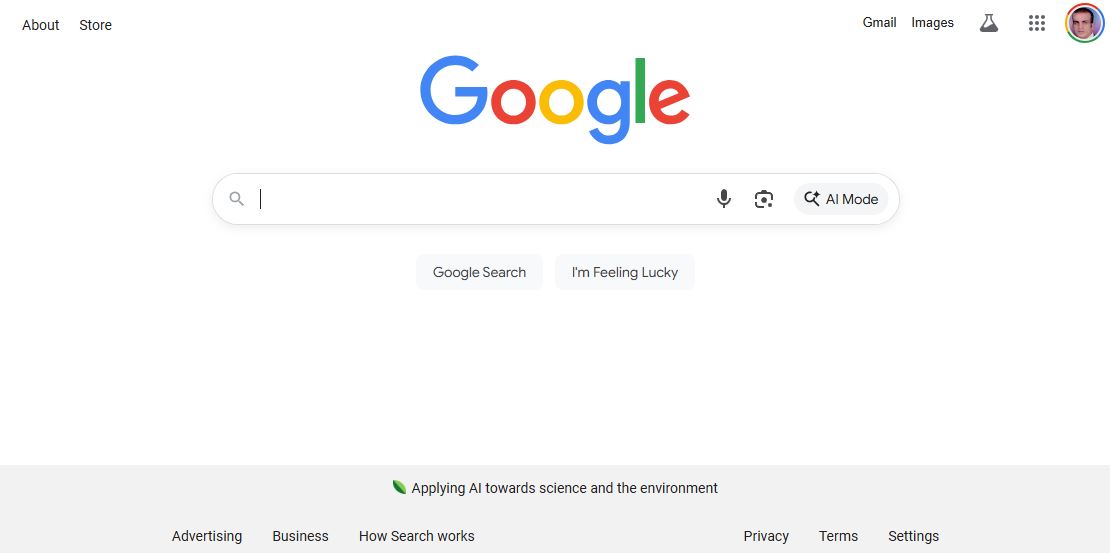
The world's largest search engine


-
Stop Dreaming. Start Executing.
Join the Ferct Founding 50 to unlock your full potential and achieve your dreams.
Exclusive Lifetime Access to Ferct – The World's First Goal Achievement Network.
SECURE YOUR SPOT NOW
-
Become a Certified Scientific Researcher
Join the world’s #1 comprehensive online skills program designed to empower college students, postgraduates, and researchers to launch or advance their careers in research and development.
Learn more
This offer for one time after that will be this closed forever. No extensions. No second chancess.
Description:
Google is the world’s most popular search engine, developed by Google LLC. It was founded by Larry Page and Sergey Brin in 1998. Google’s mission is to organize the world’s information and make it universally accessible and useful. It uses advanced algorithms and machine learning techniques to provide relevant, accurate, and fast search results. Over the years, Google has evolved from a simple search engine into a powerful tool that integrates with various services and applications, including Google Maps, Google Scholar, Google Images, and more.
Main Features and Functions:
- Web Search:
- The core function allows users to find information from across the web by entering keywords or phrases.
- Image Search:
- Users can search for images based on keywords or use reverse image search to find similar images.
- Video Search:
- Google indexes videos from various platforms, including YouTube, for easy access to video content.
- Google Scholar:
- Specialized search engine for academic and research papers, ideal for researchers and students.
- Google Maps Integration:
- Allows users to search for locations, businesses, and directions worldwide.
- Voice Search (Google Assistant):
- Users can speak their queries instead of typing, making search more convenient.
- Google Translate Integration:
- Provides translation services directly within search results for multilingual queries.
- Personalized Search Results:
- Google customizes results based on a user’s search history, location, and preferences (if enabled).
- Google Lens:
- Visual search tool that identifies objects, landmarks, and text within images using a smartphone camera.
- Featured Snippets and Knowledge Graph:
- Displays direct answers, definitions, and summaries from reliable sources at the top of search results.
Guide:
How to Use Google:
- Access Google:
- Open a web browser (e.g., Chrome, Firefox, Safari) and go to www.google.com.
- Perform a Basic Search:
- Type your query into the search bar and press Enter.
- Example: "latest research in nanofiber-based biopolymers."
- Type your query into the search bar and press Enter.
- Use Search Operators for Advanced Searches:
- Quotation marks (""): Search for exact phrases.
- Example: "fluorescent sensing in tissue engineering"
- Minus sign (-): Exclude a term.
- Example: "hydrogel composites -wound healing"
- site:: Search within a specific website.
- Example: "site:ncbi.nlm.nih.gov nanofiber hydrogel"
- Quotation marks (""): Search for exact phrases.
- Use Google Images/Maps/Scholar:
- Click on the Images, Maps, or Scholar tabs at the top of the search results to filter by content type.
- Voice Search:
- Click the microphone icon in the search bar and speak your query.
- Google Lens:
- Open Google Lens on your smartphone or in Chrome to search using images.
- Translate and Calculator:
- Type words like "translate 'hello' to French" or perform calculations like "345 * 27".
Main Information
Related tools