Bing
Microsoft’s Smart Search Engine for Web and Beyond


-
Stop Dreaming. Start Executing.
Join the Ferct Founding 50 to unlock your full potential and achieve your dreams.
Exclusive Lifetime Access to Ferct – The World's First Goal Achievement Network.
SECURE YOUR SPOT NOW
-
Become a Certified Scientific Researcher
Join the world’s #1 comprehensive online skills program designed to empower college students, postgraduates, and researchers to launch or advance their careers in research and development.
Learn more
This offer for one time after that will be this closed forever. No extensions. No second chancess.
Description:
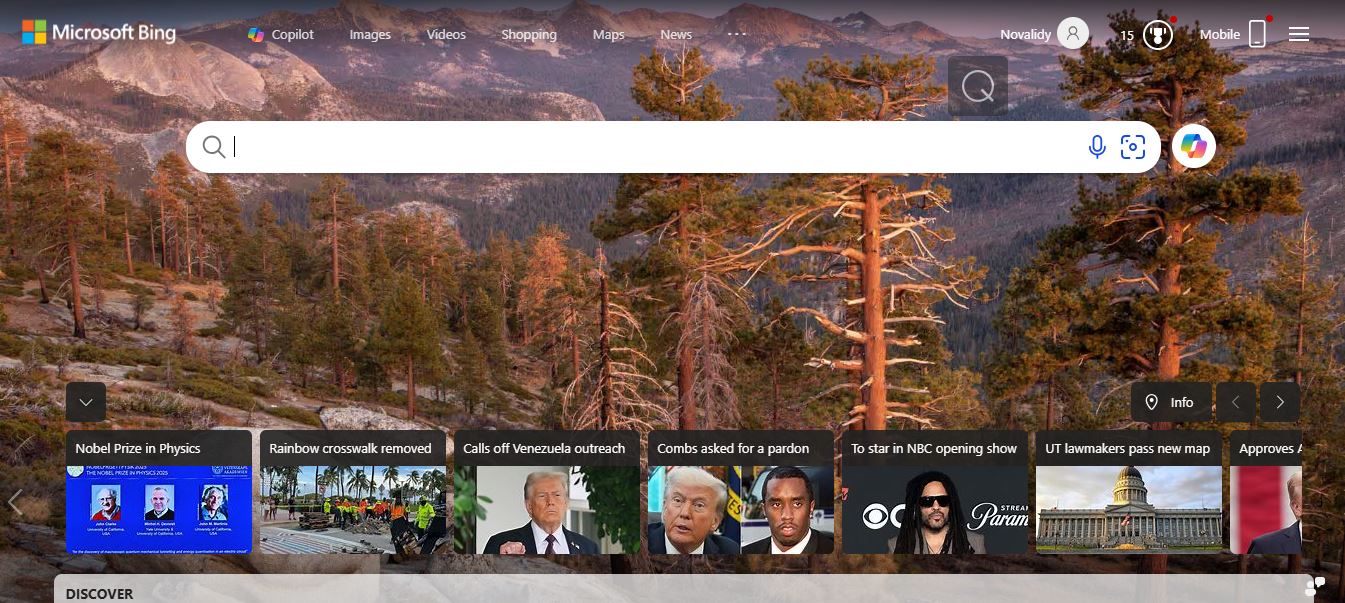
Bing, developed by Microsoft and launched in 2009, is a feature-rich search engine designed to provide intelligent, accurate, and visually engaging search results. Bing stands out with its daily background images, integrated AI tools, and seamless connection with Microsoft services like Edge, Windows, and Office. It supports web searches, image recognition, and academic research, making it a versatile tool for both personal and professional use.
Main Features and Functions:
- Web Search:
- Delivers fast, relevant results from across the internet.
- Image Search & Visual Search:
- Find images or use Bing Visual Search to search using photos.
- Video Search:
- Provides an easy-to-navigate video search interface with previews.
- AI-Powered Bing Chat:
- Integrated with OpenAI’s technology to provide conversational, AI-driven answers.
- Microsoft Rewards:
- Earn points by searching and redeem them for rewards.
- Bing Maps:
- Access maps, directions, and local business information.
- Academic Search:
- Discover scholarly publications for research purposes.
- News & Current Events:
- Stay updated with real-time news coverage and trending stories.
- Safe Search Settings:
- Filter results based on safety preferences.
- Translation & Calculator:
- Built-in tools for language translation, unit conversion, and calculations.
Guide:
How to Use Bing:
- Open Bing:
- Visit www.bing.com through any web browser.
- Enter a Query:
- Type keywords into the search bar and press Enter.
- Use Visual Search:
- Click the camera icon to search using an image.
- Explore Different Categories:
- Use tabs like Images, Videos, Maps, or News to narrow results.
- Try Bing Chat (AI-Powered):
- Click on the Chat option to interact with Bing’s AI assistant for more detailed answers.
- Use Advanced Search Operators:
- "exact phrase" → "conjugated polymer biosensors"
- -exclude → "nanofiber hydrogel -wound healing"
- site: → "site:sciencedirect.com tissue engineering"
- Sign In for Rewards:
- Log in with a Microsoft account to earn points for each search.
Tip: Bing’s Visual Search could be particularly useful for your research in material characterization and analysis.
Main Information
Related tools